Localization
Language Assist
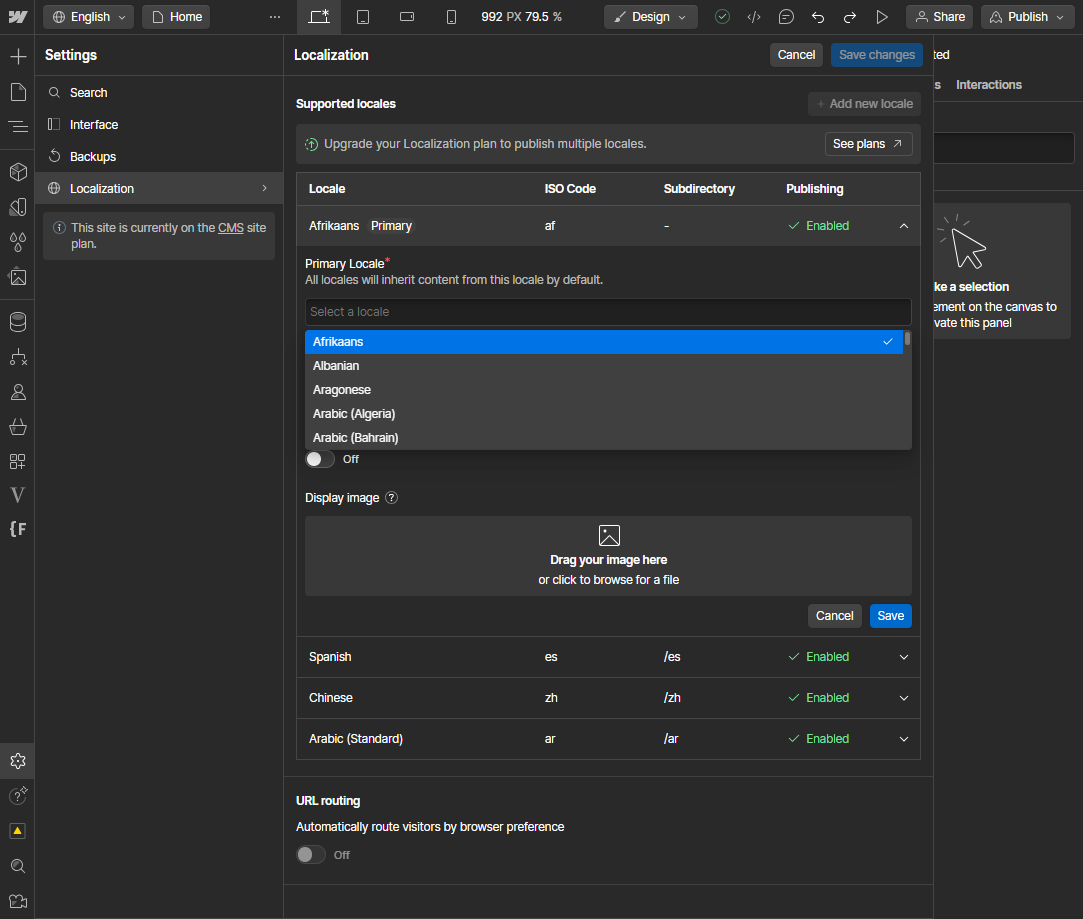
In Localization Settings, provide missing information:
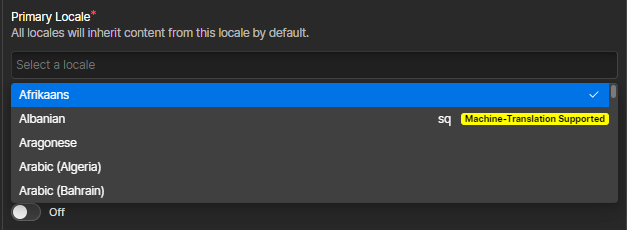
- Language codes in the selection list
- Highlighting of supported items
Technical Notes
The Localization panel is open when we have a div with:
<div tabindex="-1" data-panel-pane="true" data-automation-id="localization-settings-panel" class="bem-Pane" style="display: flex; flex: 0 1 650px; flex-direction: column; width: 650px; outline: none;">Outer div has the value containing the code, apply it to inner div content:
<div tabindex="-1" label="Albanian" value="sq" data-automation-id="LocalizationSettingsPanelForm-preStagedLocales.0.tag-option-sq" class="bem-SelectInput_Option" style="display: flex; align-items: center; flex-basis: 30px; flex-shrink: 0; position: absolute; left: 0px; top: 24px; height: 24px; width: 100%;">
  <div data-text="true" class="wf-1rzwxxs --pick-cgAGym --styled-jUyHNJ wf-vkri44" data-sc="Text" style="--local-lineClamp: 1;">Albanian</div>
</div>
Find all elements with data-automation-id starts with LocalizationSettingsPanelForm-preStagedLocales.0.tag-option.
Iterate.
Annotation
<span style="float: right; display: flex; align-items: center; gap: 10px;">
    <span>sq</span>
    <span style="background-color: yellow; color: black; padding: 1px 4px; border-radius: 3px; font-size: 0.8em; line-height: 1; font-weight: bold;">Machine-Translation Supported</span>
</span>
Last updated on